Inside Flatbooks · product walkthrough
A QuickBooks correction.
A traceable group report.
See a bookkeeper’s path from three QuickBooks companies to a monthly group report: investigate one difference, approve the correction, then inspect the figures and fee eliminations.
From difference to deliverable
1:40 · NarratedThe workflow 0:00
Three QuickBooks companies. One monthly result.
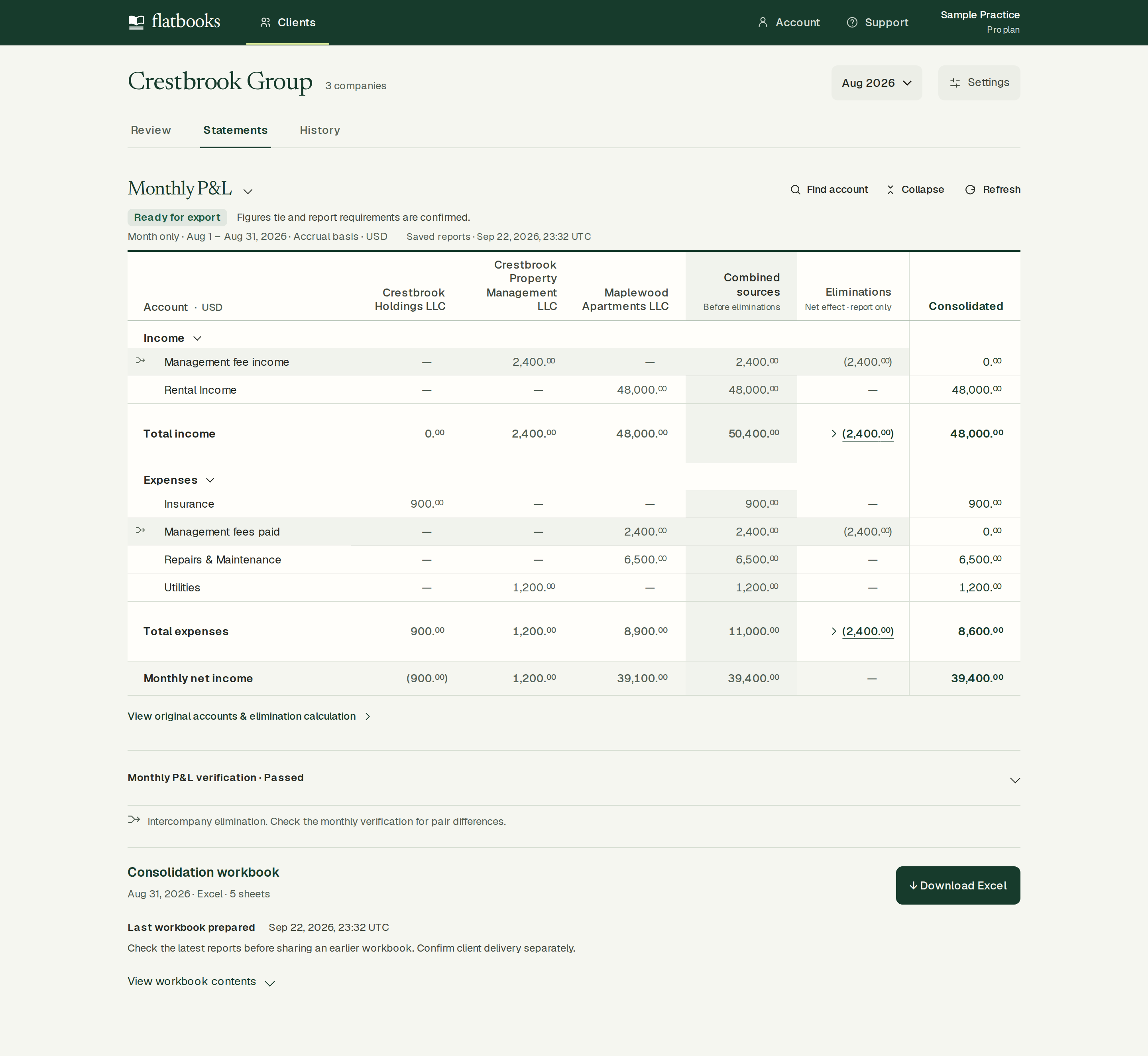
For bookkeepers preparing reports across related companies: connect the client’s QuickBooks Online companies, review differences, and export the group workbook. This corrected month reports $48,000 income, $8,600 expenses and $39,400 net income.
This example: three sibling companies · USD · accrual · August 1–31, 2026.
01 / Confirm report requirements 0:08
Can Flatbooks prepare this group report?
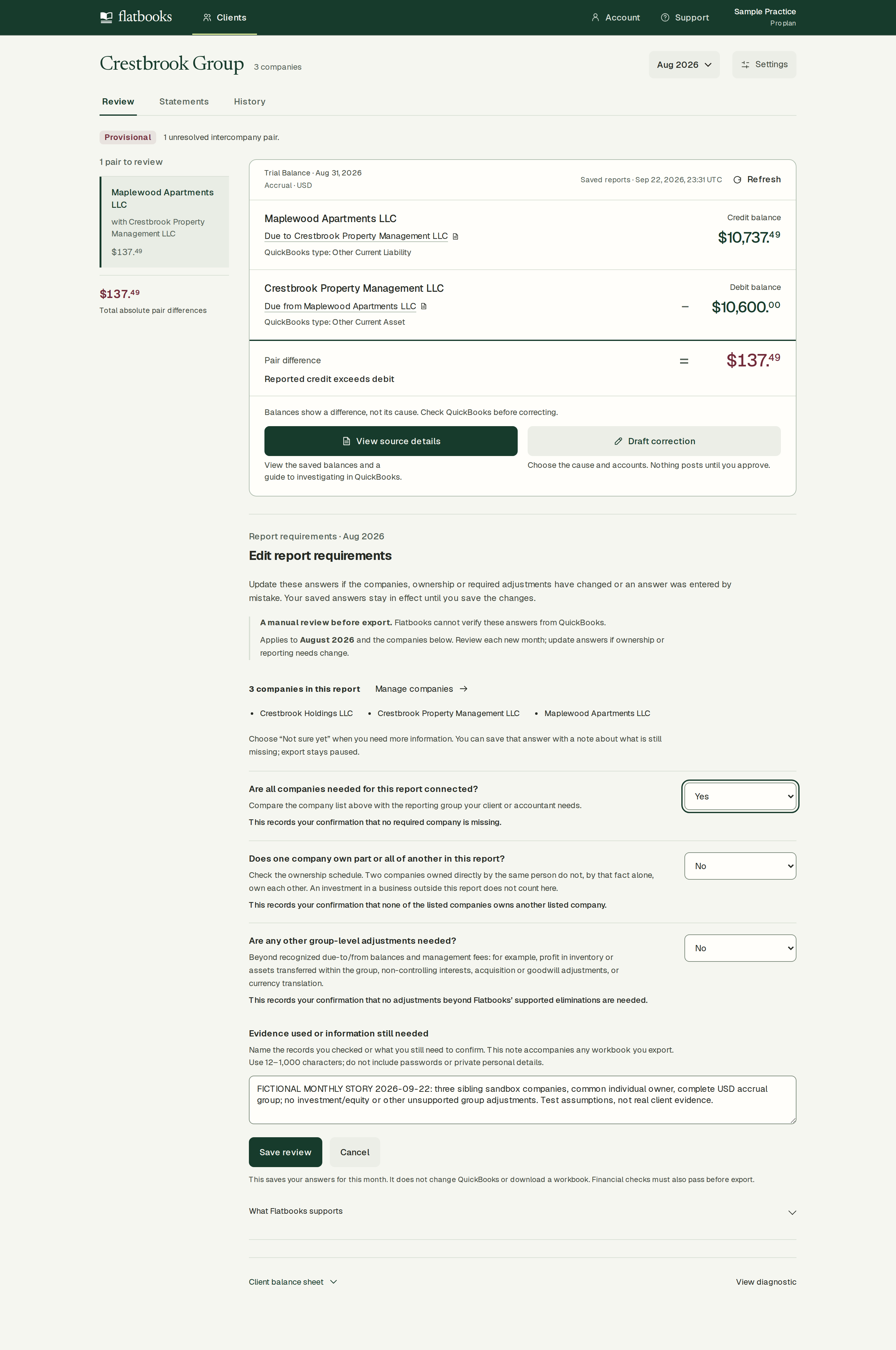
The reviewer confirms all required companies are connected. In this example, none of the listed companies owns another listed company, and no additional group-level adjustments are needed. These are the sample’s stated facts. The reviewer must confirm them; Flatbooks does not automatically establish ownership.
These are facts about the client, not errors to clear. If one listed company owns part or all of another listed company, or unsupported adjustments are required, export is paused because Flatbooks does not calculate that work.
02 / Compare balances 0:20
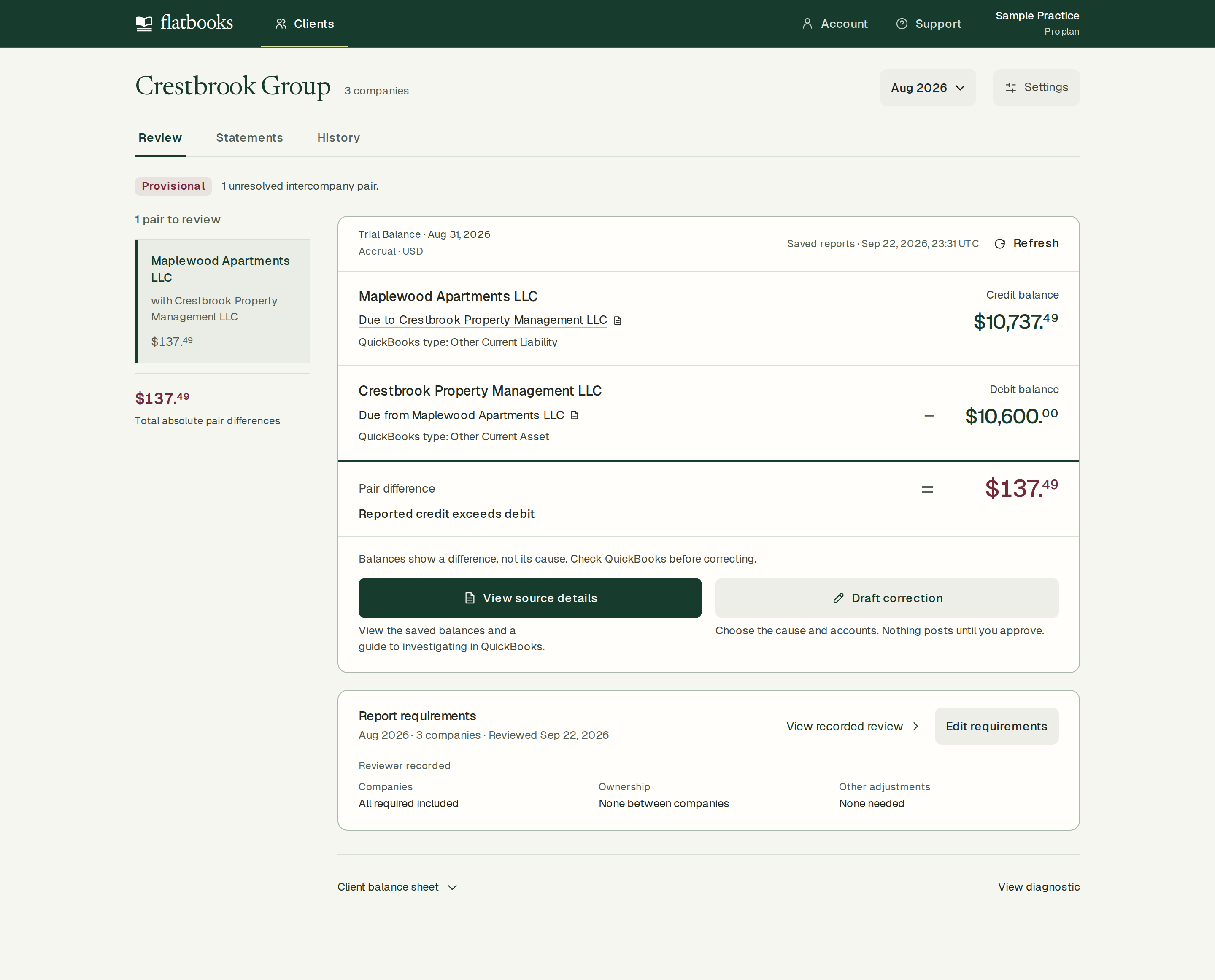
One pair is $137.49 apart.
Maplewood shows $10,737.49 payable. Crestbrook Property Management shows $10,600 receivable. Flatbooks highlights the difference and holds the export.
A difference identifies what needs investigation. It does not establish the cause or the correct accounting entry.
03 / Review the correction 0:30
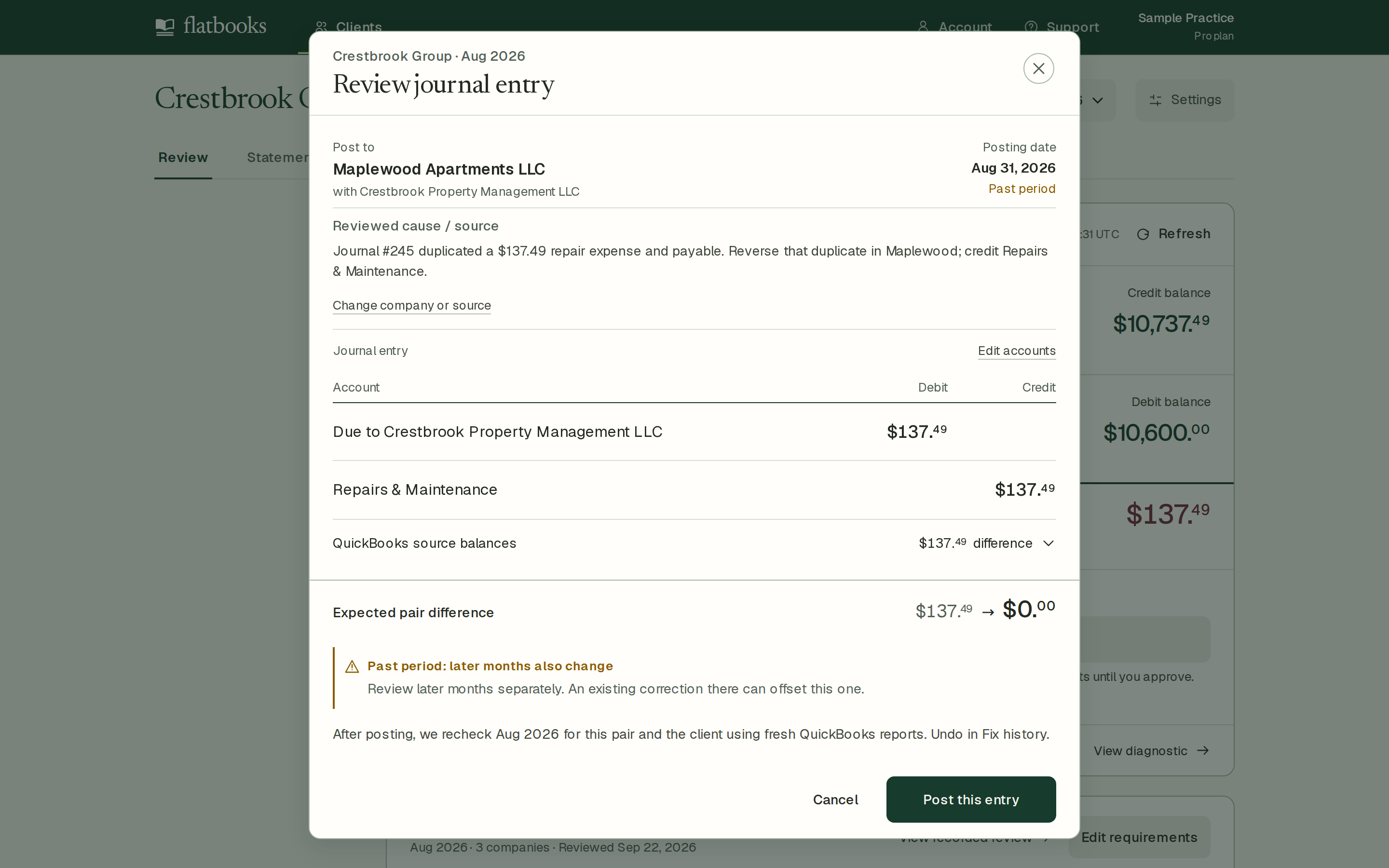
Review the duplicate payable.
In this example, a repair expense and payable were recorded twice. The reviewer records that reason, selects Maplewood and Repairs & Maintenance, then posts the displayed journal entry.
In this case: debit Due to Crestbrook Property Management LLC $137.49; credit Repairs & Maintenance $137.49. This treatment follows the recorded evidence; it is not a universal fix.
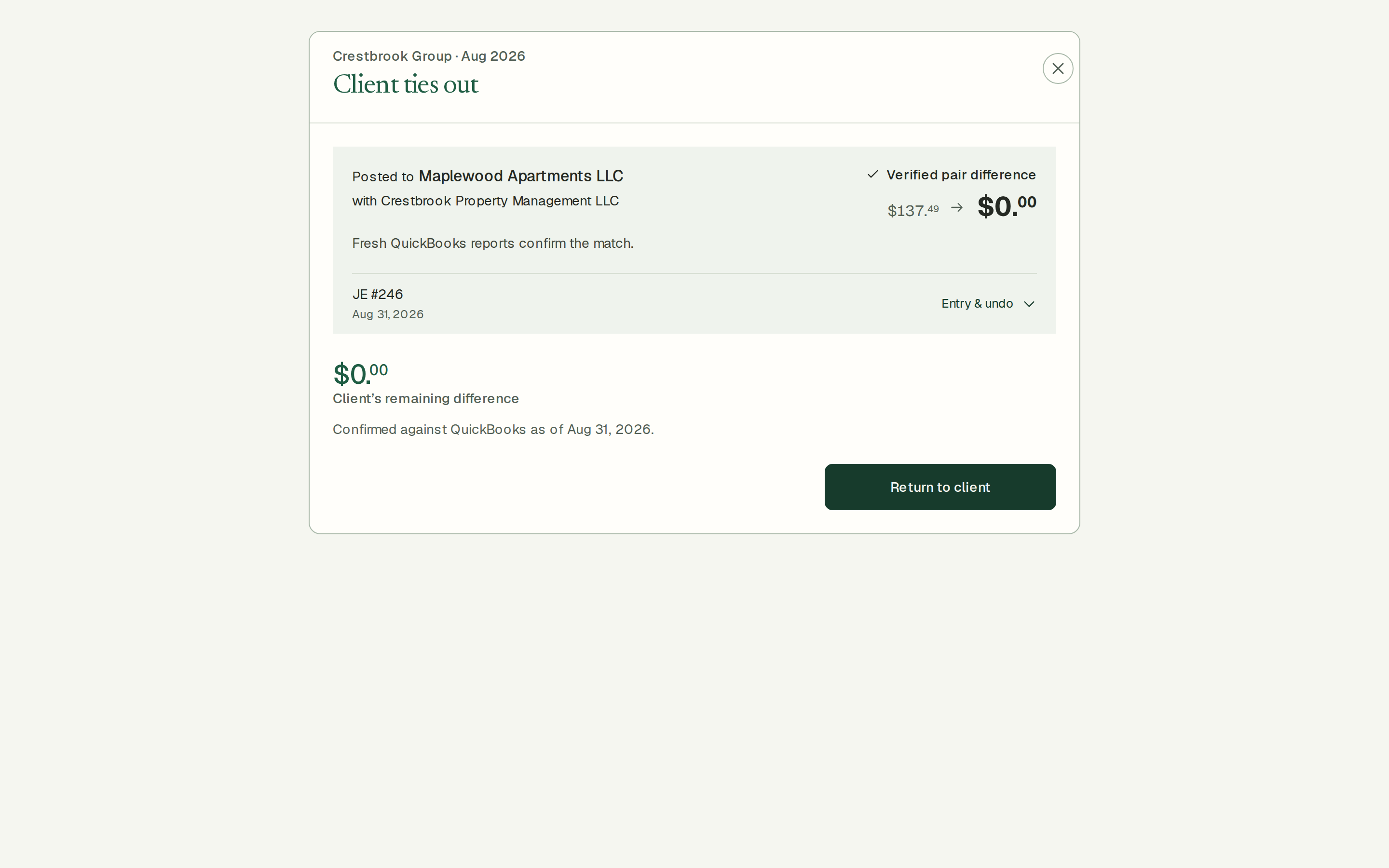
04 / Check fresh reports 0:48
The entry posts to QuickBooks.
Journal #246 posted. Flatbooks fetched fresh QuickBooks reports and confirmed the pair’s difference fell from $137.49 to $0.
A cleared pair difference confirms this reconciliation check. It does not establish that the whole close is complete.
05 / Retain the explanation 0:56
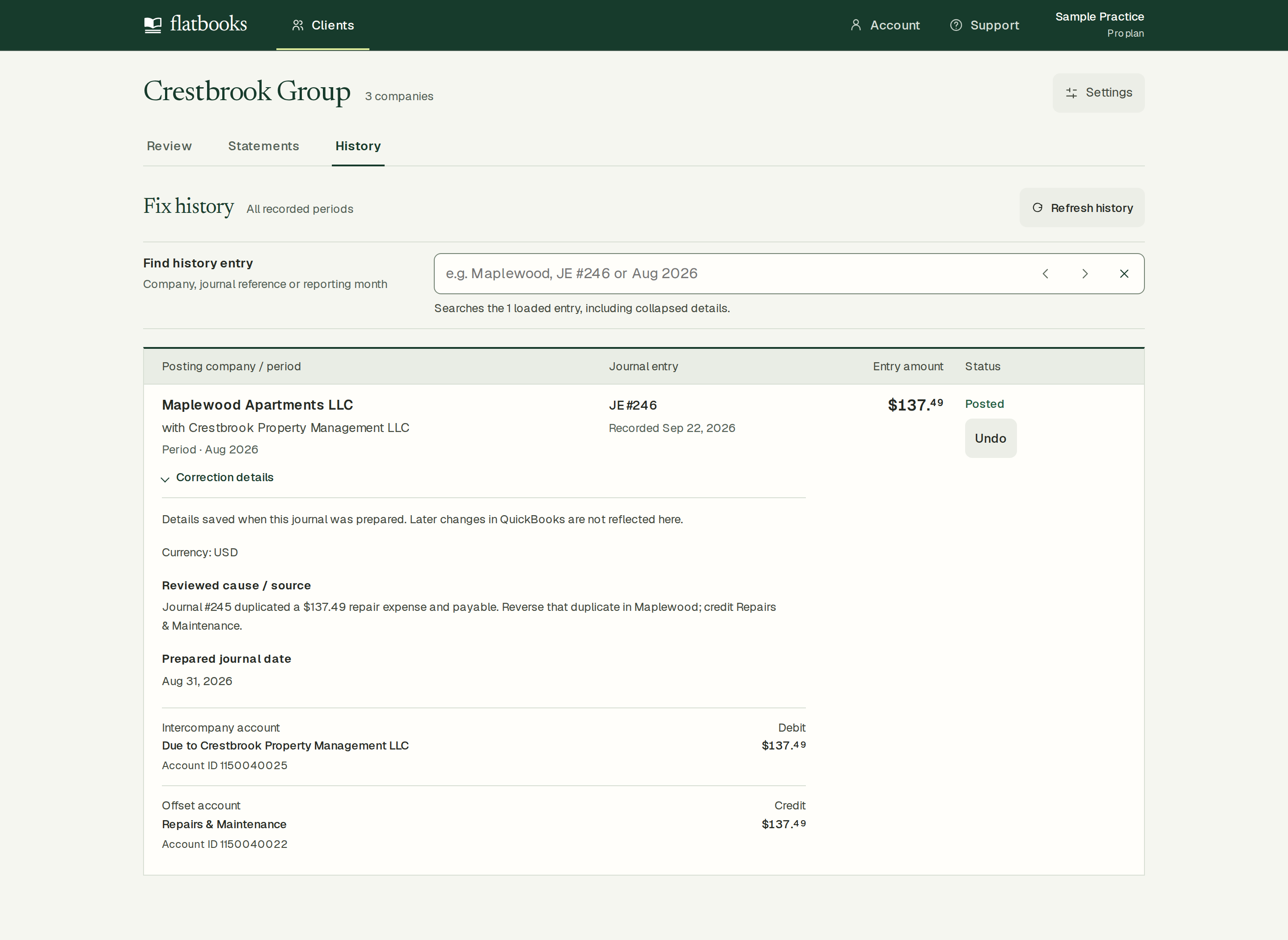
Keep the why with the entry.
History retains the source explanation, company, date, accounts and journal reference. The explanation is also saved to the QuickBooks entry and the exported workbook.
These are saved preparation details. Later QuickBooks edits are not reflected in the historical record; source documents are not authenticated.
06 / Inspect the deliverable 1:03
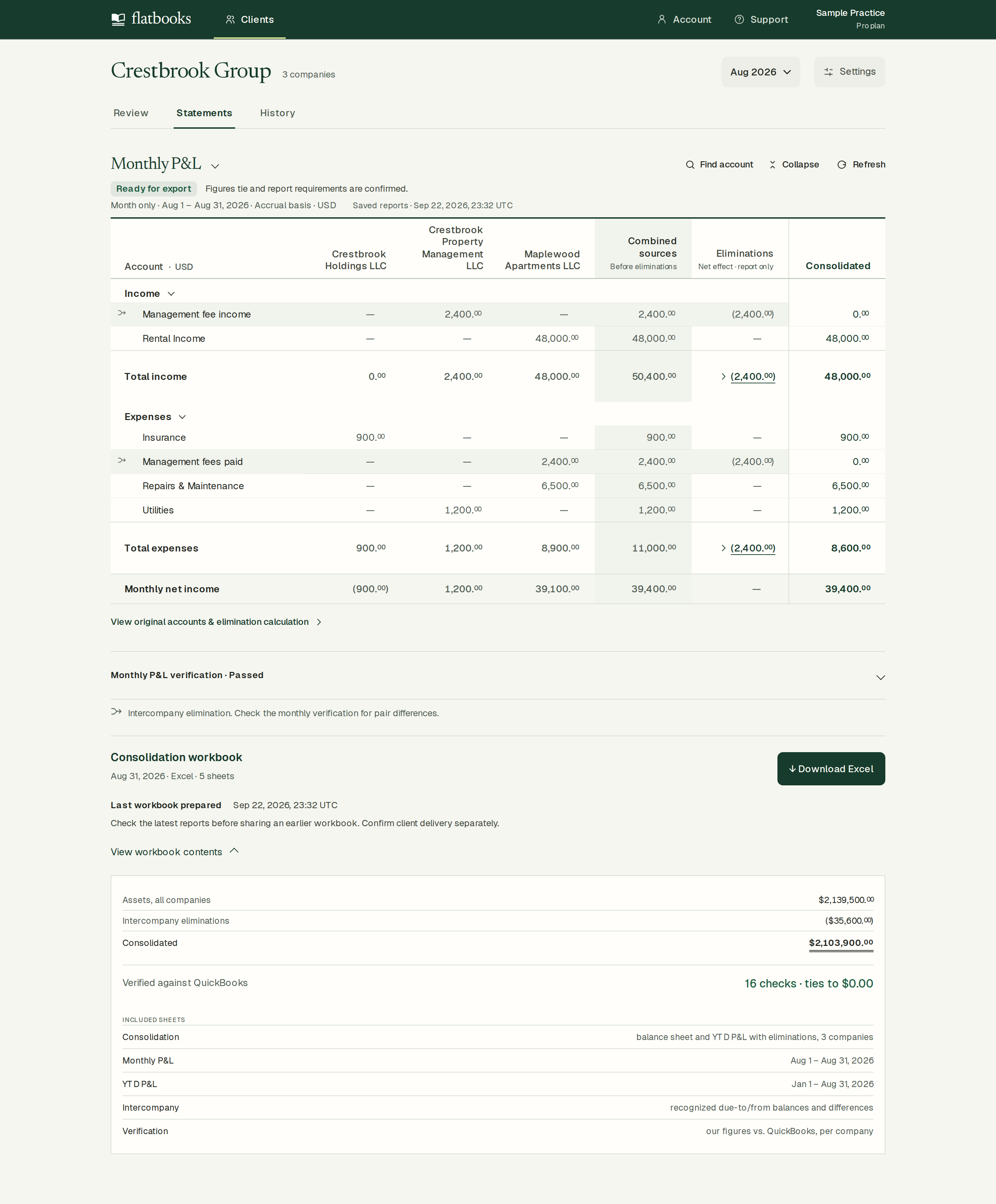
The group earns $39,400 this month.
August’s $2,400 management fee appears as one company’s income and another’s expense. Flatbooks removes both from the group report. Net income stays $39,400; YTD is $239,200. All 16 workbook checks passed in this case.
Five sheets: Consolidation, Monthly P&L, YTD P&L, Intercompany and Verification. Static values: edits in Excel do not recalculate totals or checks.
07 / Reverse when needed 1:24
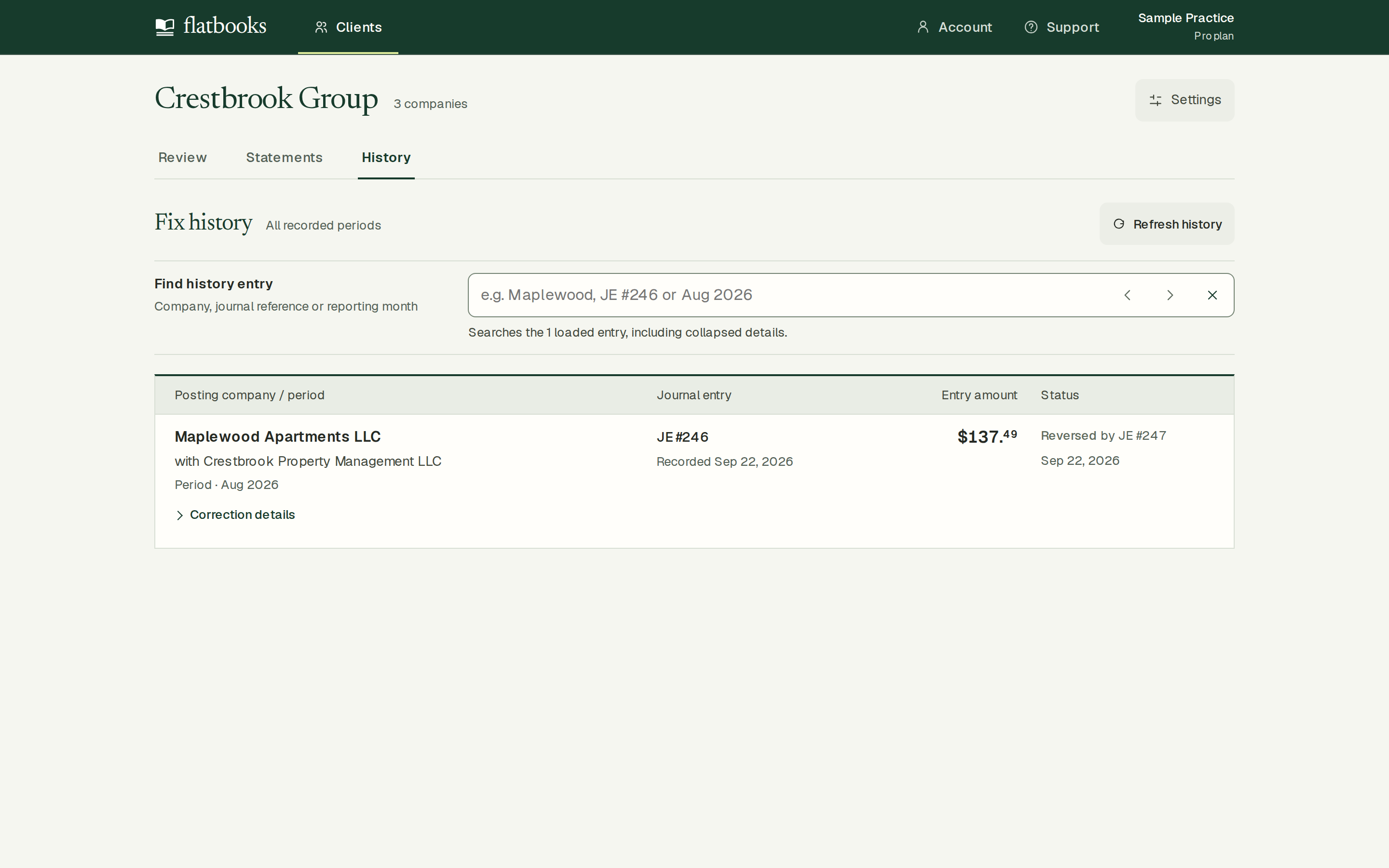
Reverse a correction when needed.
Undo is optional recovery, not a required close step. Here it posted reversal #247: the $137.49 difference returned and export paused again. The original correction remains in History.
The enclosed workbook preserves the earlier corrected state, before Undo. After changing the books, refresh the reports and prepare a new export when the checks pass.
Before comparing it with your work
Know what the example covers.
Three sibling companies, one individual owner
No listed company owns another listed company. All required companies are included; USD, accrual, January fiscal-year start. The report covers the complete month of August 2026. These are the sample’s stated facts.
Recognized due-to/from balances and management fees
Where one company owns another entirely, Flatbooks eliminates the owner’s investment against the owned company’s paid-in capital when the two agree — or, for a company bought in an earlier year, against its equity on the purchase date, with the rest shown as goodwill; this sample has none. It does not calculate non-controlling interests, a purchase during the year, intra-group profit in inventory or assets, or currency translation. Part ownership or other unsupported adjustments pause export. A matching total alone does not establish a complete group report.
A snapshot, captured before undo
The downloadable workbook is a sanitized copy of the actual export. 4 internal identifier cells use sample labels; all figures, checks, dates and source explanations are unchanged. Editing its cells does not recalculate totals or checks. Correct QuickBooks, refresh Flatbooks, then export again.
What this test proves—and what it doesn’t
Flatbooks, connected to Intuit’s sandbox companies, posted journal #246, fetched fresh reports, exported the workbook and posted reversal #247. An independent, to-the-cent recalculation from the raw Intuit reports and the downloaded workbook matched $48,000 monthly income, $8,600 expenses, $39,400 monthly net income and $239,200 YTD net income. It checked the $2,400 fee elimination and all 46 numeric report rows. Read the calculation results. Financial test balances were restored afterward; history remains.
The screens on this page and in the film are today’s Flatbooks client workspace, replayed from the raw QuickBooks reports recorded in that run, so they show the current interface with the run’s exact figures.
This does not demonstrate fresh QuickBooks authorization, first-time production signup, independent accountant approval, customer time saved, payment or repeat use.
Compare it with your last deliverable
Which step would this replace for you?
What would still need work before you could hand the result to its reviewer? If your current method already does the job, that’s useful to hear too.